
Step 1:
Use the following link to download the official English .img Office 2019 Professional Plus file from Microsoft, if you do not have it already installed.
Step 2:
Once downloaded, install Winrar (download here) and extract the .img file, you can also double-click it to mount it in your system.
Run the setup file and install Office. Once installed, open any office app and it will ask for a serial key and then for activation.
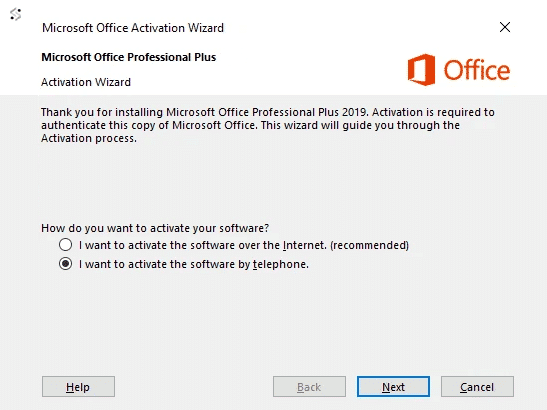
Enter your serial key and when it asks for activation just select, “I want to activate the software over by telephone.“, Then click “Next” and continue to Step 3. You don’t have to call.
Step 3:
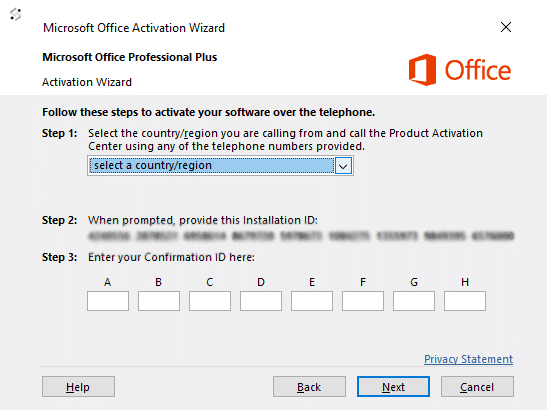
You will now see a new window where you need to select your country and make a note of the Installation ID.
Step 4:
Carefully type and send us your Installation ID using the below form and we will get back with a Confirmation ID which you need to enter back into the activation page to activate your product.
No comments yet
Be the first to share your thoughts!
No comments yet. Start the discussion!
Leave a Comment