
Step 1: Download Office
Use the following link to download the official English .img file of Office 2021 Professional Plus from Microsoft:
Step 2: Extract and Install
Once downloaded:
- Install Winrar (download here) and extract the .img file, or double-click it to mount it in your system.
- Run the setup file and install Office.
- When prompted, enter your serial key.
- At the activation screen, select “I want to activate the software over by telephone“
- Click “Next” to continue to Step 3.
Note: No actual phone call is required.
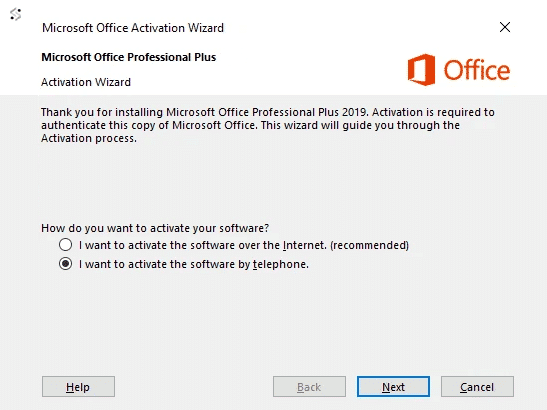
Step 3: Get Installation ID
In the new window:
- Select your country
- Make note of your Installation ID
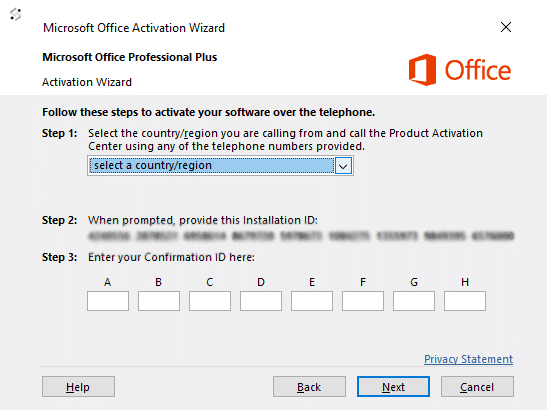
Step 4: Submit Installation ID
Complete these final steps:
- Enter your Installation ID in the form below
- We will provide you with a Confirmation ID which will be sent to your email
- Enter the Confirmation ID to complete activation
No comments yet
Be the first to share your thoughts!
No comments yet. Start the discussion!
Leave a Comment